
Tutorials
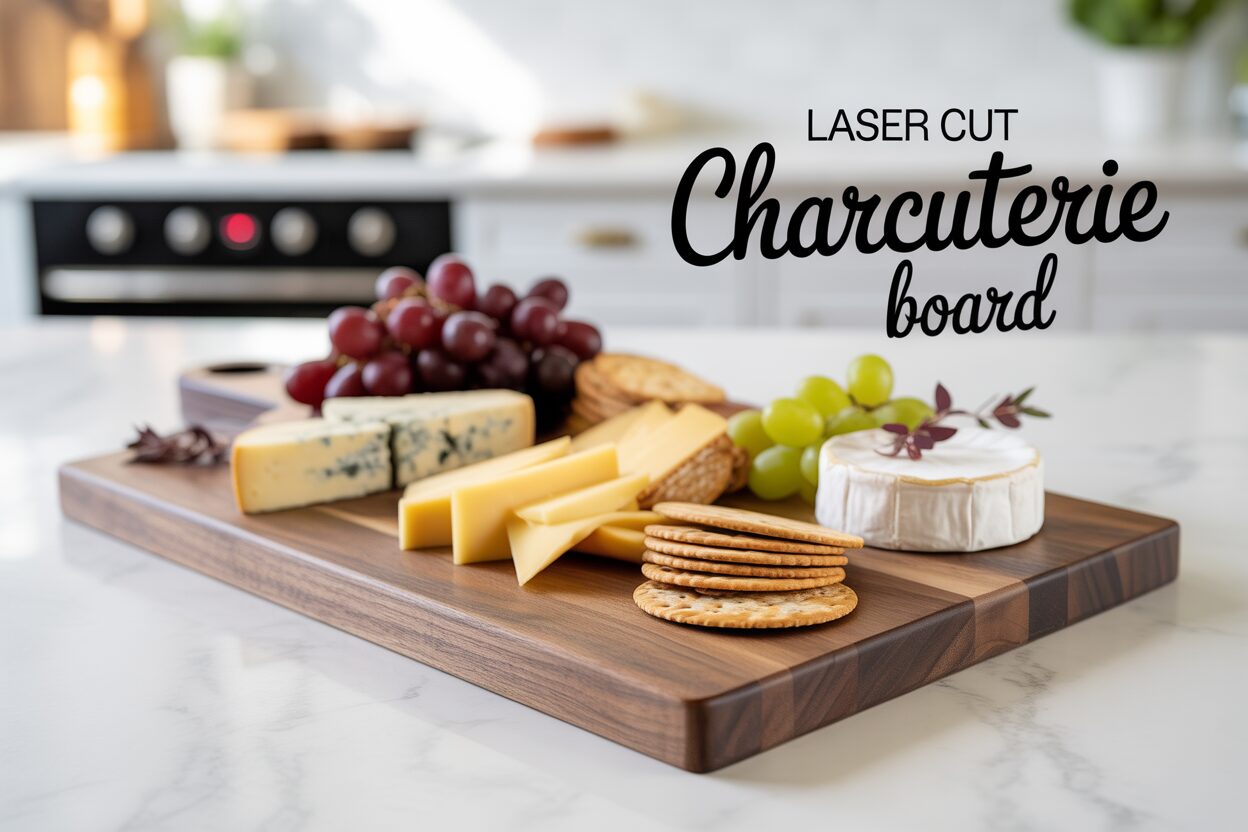
Creating Your Own Laser Cut Charcuterie Board
Jan
Estimated reading time: 6 minutes
Key Takeaways
- Select the Right Wood: Always choose thick (3/4-inch minimum), closed-grain hardwoods like Maple, Cherry, or Walnut for your charcuterie board. These woods are durable, food-safe, and resist bacteria, unlike open-grain woods like Oak or Ash.
- Use Vector Files for Precision: For crisp, clean results, use vector file formats such as SVG or DXF for your design. Vectors can be scaled to any size without losing quality, ensuring a professional finish for both cuts and engravings.
- Calibrate Laser Settings: Before starting your project, always test your laser’s power and speed settings on a scrap piece of the same wood. This crucial step prevents costly mistakes and guarantees the desired engraving depth and cutting efficiency.
- Finish with Food-Safe Oil: Protect your board and bring out the wood’s natural beauty by applying a food-safe finish. Use food-grade mineral oil, beeswax, or a combination board cream; never use cooking oils, which can go rancid.
Table of Contents
- Choosing the Best Wood for Your Charcuterie Board
- Finding and Preparing Your Design Files
- Laser Cutting and Engraving a Charcuterie Board
- Applying a Food-Safe Wood Finish
- Conclusions
- Frequently Asked Questions
Learn how to craft a personalized and elegant serving piece for your home. This guide walks you through every step of making a custom laser cut charcuterie board, from choosing the best wood to applying a professional, food-safe finish. Perfect for hobbyists and small business owners, this project combines creativity with practical woodworking skills for a stunning result.
Interested in more Charcuterie Board? Check out our Charcuterie Board laser file designs: Click here!
Choosing the Best Wood for Your Charcuterie Board
Selecting the right wood is the foundational step in creating a charcuterie board that is not only beautiful but also safe and durable. The characteristics of the wood you choose will directly impact the board’s longevity, its ability to resist bacteria, and how well it showcases your laser-cut design. The primary factor to consider is the wood’s grain structure, which is why we exclusively recommend closed-grain hardwoods for any surface that will come into contact with food.
Closed-grain woods have very small, dense pores that are not visible to the naked eye. This non-porous nature is critical for food safety. It prevents moisture, food particles, and bacteria from penetrating the wood’s surface, making the board much easier to clean and sanitize effectively. These woods are also typically very hard and dense, which means they can withstand knife marks and frequent use without easily splintering or becoming scarred. In contrast, you must avoid open-grain woods like Red Oak and Ash. Their large, visible pores act like tiny straws, readily absorbing oils, juices, and bacteria. This not only stains the wood but creates an unsanitary environment that is nearly impossible to clean, making them unsuitable for direct food contact.
Top Hardwood Choices for Your Project
When selecting your material, three closed-grain hardwoods stand out for their exceptional qualities for both charcuterie boards and laser cutting. Your choice among them will largely depend on the aesthetic you wish to achieve.
- Maple (Hard Maple): Often considered the industry standard for cutting boards and butcher blocks, Hard Maple is an excellent choice. Its extremely dense, tight grain makes it incredibly durable and one of the safest woods for food preparation. For laser cutting, its light, creamy color creates a fantastic canvas. Engravings produce a sharp, high-contrast dark brown or black char, making intricate designs pop with stunning clarity.
- Cherry: Known for its warm, reddish-brown hue that deepens beautifully with age, Cherry offers a touch of elegance. It is slightly softer than maple but still a very durable, food-safe closed-grain hardwood. Laser engraving on cherry results in a more subtle, tonal effect, creating a deep, rich engraving that complements the wood’s natural warmth. It’s perfect for a sophisticated, less contrasted look.
- Walnut: For a dramatic and luxurious feel, Walnut is an unbeatable choice. Its deep, chocolate-brown colors and beautiful grain patterns make a statement on their own. As a hard, closed-grain wood, it is perfectly suited for charcuterie boards. Laser engravings on walnut are subtle and sophisticated, burning a darker shade of brown that creates a premium, tone-on-tone appearance. This wood choice elevates the entire piece into a work of art.
Beyond the type of wood, pay close attention to the board’s thickness. This is crucial for preventing warping over time, a common issue for wooden items that are frequently washed. We strongly recommend using a board that is at least 3/4-inch (19mm) thick. For larger or longer boards, a thickness of 1 inch (25mm) provides even greater stability, ensuring your beautiful creation remains flat and functional for years to come. Whether you choose the bright contrast of Maple, the warm elegance of Cherry, or the deep luxury of Walnut, selecting a thick, high-quality piece of closed-grain hardwood is the first step toward a successful and long-lasting DIY charcuterie board.
Finding and Preparing Your Design Files
With your beautiful piece of wood selected, the next critical step is preparing the digital blueprint that will guide the laser cutter. The quality of this design file is just as important as the wood itself, as it dictates the final precision and clarity of your project. For laser cutting, it is essential to work with vector file formats, primarily SVG (Scalable Vector Graphics) or DXF (Drawing Exchange Format). Unlike common image files like JPEGs, which are made of pixels and become distorted when resized, vectors are built from mathematical paths. This allows them to be scaled to any size without losing a single bit of detail, ensuring your laser produces perfectly crisp lines for engravings and flawlessly smooth contours for cutouts. Using a high-quality vector file is the key to transforming a simple piece of wood into a professionally finished product.
Sourcing or Creating Your Design
If you’re eager to get started, using professionally made charcuterie board design files is an excellent, time-saving choice. These files are created by designers who understand the technical requirements of laser cutting, ensuring all paths are closed for cutting and that intricate patterns are optimized for clear engraving. You can find a wide variety of files on digital design marketplaces online. For designs specifically created and tested for charcuterie boards, we invite you to browse the curated collection in our own shop. Each file has been optimized for laser engraving wood, helping you avoid common pitfalls and achieve stunning results on your first try. This is a great way to ensure a smooth process and a beautiful outcome.
For those who want to create a truly one-of-a-kind piece, designing your own file is an immensely satisfying endeavor. You don’t need to be a professional graphic designer to start; user-friendly software can help bring your ideas to life. Industry-standard programs like Adobe Illustrator and CorelDRAW provide a comprehensive suite of tools, while Inkscape stands out as a powerful and completely free open-source alternative. As you begin designing, keep these key functional and aesthetic considerations in mind:
- Integrate Functional Elements: A great charcuterie board is as practical as it is beautiful. Consider designing a handle cutout for easier carrying. You can also add a juice groove—a simple, shallow engraved line set about half an inch from the edge of the board. This is a highly functional feature that catches brine from olives or juices from fruits, keeping your table clean.
- Personalize Your Board: The true beauty of a DIY project is the ability to personalize it. Add a family monogram, a significant date, or a meaningful quote to make the board a cherished heirloom or a perfect customized gift. When working with text, choose fonts that have sufficient thickness to show up clearly in the wood grain. Before exporting your file, always convert your text to paths (or “create outlines”) to turn the letters into vector shapes, ensuring the laser interprets them correctly.
- Differentiate Laser Actions: In your design software, use different colors to assign different actions for the laser. A common convention is to use a thin red line for cut-through paths (like the handle) and black fills for areas you want to engrave. This clear instruction in your file makes setting up the job on the laser cutter straightforward and error-free.
- Strategic Design Placement: Think carefully about where your design will go. A large, intricate engraving in the center of the board looks incredible, but it will be covered once food is served. Placing engravings in a corner, along an edge, or on the handle keeps the design visible while preserving the main surface area for its intended culinary purpose.
Laser Cutting and Engraving a Charcuterie Board
Now that you have your premium hardwood and a polished design file, it’s time for the most exciting part: bringing your vision to life with the laser cutter. The precision of a laser allows for a level of detail that is impossible to achieve by hand, but achieving a perfect result requires a methodical approach to setup and calibration. Your first step is to prepare your workspace. Place your wooden board onto the laser bed, ensuring it lies completely flat. Any warping or bowing in the wood will affect the laser’s focus and lead to inconsistent engraving depth and cutting power. If your board isn’t perfectly flat, use heavy magnets or hold-down clamps around the edges (well clear of the laser’s path) to secure it firmly. Next, you must accurately focus the laser beam to the top surface of the wood. A precise focus is non-negotiable; it concentrates the laser’s energy into the smallest possible point, resulting in the sharpest engravings and cleanest cuts.
Calibrating Your Laser Settings
Before you run the final job on your expensive charcuterie board, you must first calibrate your laser’s settings on a scrap piece of the exact same wood and thickness. This test phase is the single most important step to guarantee a professional outcome. Every piece of wood is slightly different, and pre-set material profiles are only a starting point. Your goal is to find the perfect balance of power and speed for both engraving and cutting. For engraving, a higher speed and lower power will produce a lighter mark, while a slower speed and higher power will create a deeper, darker char. For cutting, you’ll need much higher power and a slower speed to slice cleanly through the material, ideally in a single pass. On your scrap piece, create small test shapes and text to observe the results. Adjust your settings until you achieve the desired engraving color and depth without excessive burning, and a clean, efficient cut-through.
When you send your file to the laser, the software will differentiate between the two main operations based on your design file:
- Raster Engraving: For the decorative elements, text, and logos in your design (often designated by a black fill), the laser head will move back and forth horizontally, like an inkjet printer, firing the laser beam in tiny pulses to etch the design into the wood’s surface.
- Vector Cutting: For the board’s outline and any handle cutouts (often designated by a thin red outline), the laser will follow the vector path continuously, maintaining a steady beam to cut through the material.
To ensure your laser cut charcuterie board has crisp, clean edges with minimal charring, two techniques are indispensable. First, use your laser’s air assist feature at its highest setting. Air assist directs a constant stream of compressed air at the cutting point, which blows away smoke and debris, extinguishes any flare-ups, and dramatically reduces char and resin buildup on the edges of your cut. Second, consider applying a layer of medium-tack masking tape over the entire surface of the wood before you begin. The laser will cut and engrave directly through the tape. While it may seem counterintuitive, this mask acts as a protective barrier, preventing smoke and residue from staining the wood grain around your design. Once the job is complete, you simply peel off the tape to reveal a pristine, clean surface with a beautifully sharp engraving, a hallmark of any professional laser engraving wood project. For best results, always program your job to engrave first, then perform the final vector cut. This keeps the board perfectly stationary during the detailed engraving process.
Applying a Food-Safe Wood Finish
After the laser has finished its work and you’ve peeled back the masking tape to reveal your crisp design, your project is not yet complete. The final, crucial step is to apply a finish that not only brings out the stunning natural beauty of the wood but also protects it and makes it safe for contact with food. This finishing process seals the wood pores, preventing it from drying out and cracking over time, while also creating a barrier against moisture and bacteria. Never use industrial varnishes, lacquers, or stains, as these are not food-safe and can leach harmful chemicals. Instead, you must choose a dedicated food safe wood finish that is designed for culinary items. The most common and effective options are simple, natural, and have been trusted for centuries.
- Food-Grade Mineral Oil: This is the most popular and accessible choice. It is a non-toxic, non-drying oil that penetrates deep into the wood fibers to hydrate and protect them from within. It is colorless and odorless, so it won’t affect the taste of your food. Look for a product labeled “food-grade” or one sold as a butcher block or cutting board oil.
- Beeswax: While mineral oil works from the inside out, beeswax works from the outside in. It provides a soft, water-resistant topcoat that seals the pores and gives the board a silky, smooth feel and a gentle sheen. It’s rarely used alone but is a fantastic addition to mineral oil.
- Board Creams: These products offer the best of both worlds, combining food-grade mineral oil with beeswax (and sometimes other waxes like carnauba). This mixture provides deep conditioning and a durable, protective surface seal in one easy application, making it a highly recommended option for your DIY charcuterie board. It is critical to avoid using common cooking oils like olive, vegetable, or coconut oil, as these are organic and will eventually go rancid, imparting an unpleasant smell and taste to your board.
The Finishing Process: From Raw Wood to Polished Piece
Applying the finish is a simple but rewarding process that truly transforms your board. Follow these steps for a professional, long-lasting result.
- Sanding the Board Smooth: Even with a clean laser cut, your board will need a final sanding. Start with a medium-grit sandpaper (around 150-grit) to gently remove any slight smoky residue around the engraved areas and smooth the freshly cut edges. Work your way up to a fine grit (220-grit or higher) for the entire surface, always sanding in the direction of the wood grain. This creates a silky-smooth surface that is a pleasure to touch and prepares the wood to absorb the finish evenly. When you’re done, wipe away all the dust with a clean, dry, lint-free cloth.
- Applying the Finish Generously: Using a clean cloth, apply a liberal amount of your chosen oil or board cream to the wood. Don’t be shy—the wood is thirsty. Rub the finish into all surfaces of the board: the top, the bottom, the sides, and inside any handle cutouts. You will immediately see the wood grain darken and its rich colors and patterns come to life.
- Letting it Penetrate the Wood: Once the board is fully coated, set it aside and give the oil time to soak deep into the wood fibers. Let it sit for at least 20 to 30 minutes. For the very first application on raw wood, allowing it to penetrate for several hours or even overnight is highly beneficial.
- Buffing Off the Excess: After the oil has had time to penetrate, take another clean, dry cloth and thoroughly wipe and buff the entire board. This removes any excess oil from the surface so it doesn’t feel greasy or sticky. The goal is to leave the oil in the wood, not on the wood. You’ll be left with a beautiful, smooth satin finish that feels wonderful and is ready for its culinary debut.
Conclusions
You now have the knowledge to create a stunning DIY charcuterie board using your laser cutter. By selecting the right wood for charcuterie board, using quality charcuterie board design files, and applying a food safe wood finish, you can produce a beautiful, functional piece of art. This project is a fantastic way to enhance your laser engraving wood skills and create personalized gifts or products.
Frequently Asked Questions
Q: What is the best wood for a laser-cut charcuterie board?
A: The best woods are closed-grain hardwoods because they are non-porous, durable, and food-safe. Top choices include Hard Maple for high-contrast engravings, Cherry for a warm, elegant look, and Walnut for a dramatic, luxurious feel.
Q: Why can’t I use a normal JPEG file for my laser cutter?
A: JPEGs are pixel-based (raster) images and lose quality when resized, leading to blurry or jagged results. Laser cutters require vector files (like SVG or DXF) which are made of mathematical paths. This allows them to be scaled to any size without losing detail, ensuring perfectly crisp and clean cuts and engravings.
Q: How do I make my charcuterie board food-safe?
A: To make your board food-safe, you must apply a finish that is non-toxic and designed for culinary use. The best options are food-grade mineral oil, beeswax, or a specialized board cream that combines both. Avoid common cooking oils like olive oil, as they can become rancid over time.
Q: Why is masking tape recommended for laser cutting wood?
A: Applying a layer of medium-tack masking tape over the wood before laser cutting acts as a protective barrier. It prevents smoke and residue from staining the surface of the wood around your design. Once the job is done, you simply peel the tape off to reveal a clean, pristine surface with a sharp, professional-looking engraving.
Block "subscribe-popup" not found
