
-
×
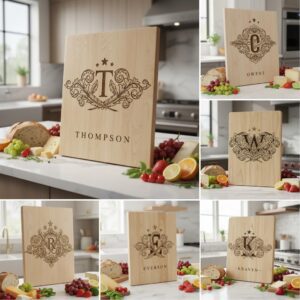 Vintage Crest Bundle, Charcuterie Board Designs, Elegant Monogram Family Name Art
1 × Original price was: $5.00.$3.50Current price is: $3.50.
Vintage Crest Bundle, Charcuterie Board Designs, Elegant Monogram Family Name Art
1 × Original price was: $5.00.$3.50Current price is: $3.50.(30% off)
-
×
 Funny Kitchen Humor Bundle, Charcuterie Board Engraving Designs, 20 Styles
1 × Original price was: $5.00.$3.50Current price is: $3.50.
Funny Kitchen Humor Bundle, Charcuterie Board Engraving Designs, 20 Styles
1 × Original price was: $5.00.$3.50Current price is: $3.50.(30% off)
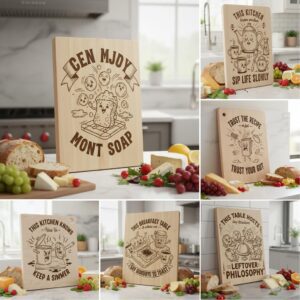 Funny Kitchen Humor Bundle, Charcuterie Board Engraving Designs, 20 Styles
 Tutorials
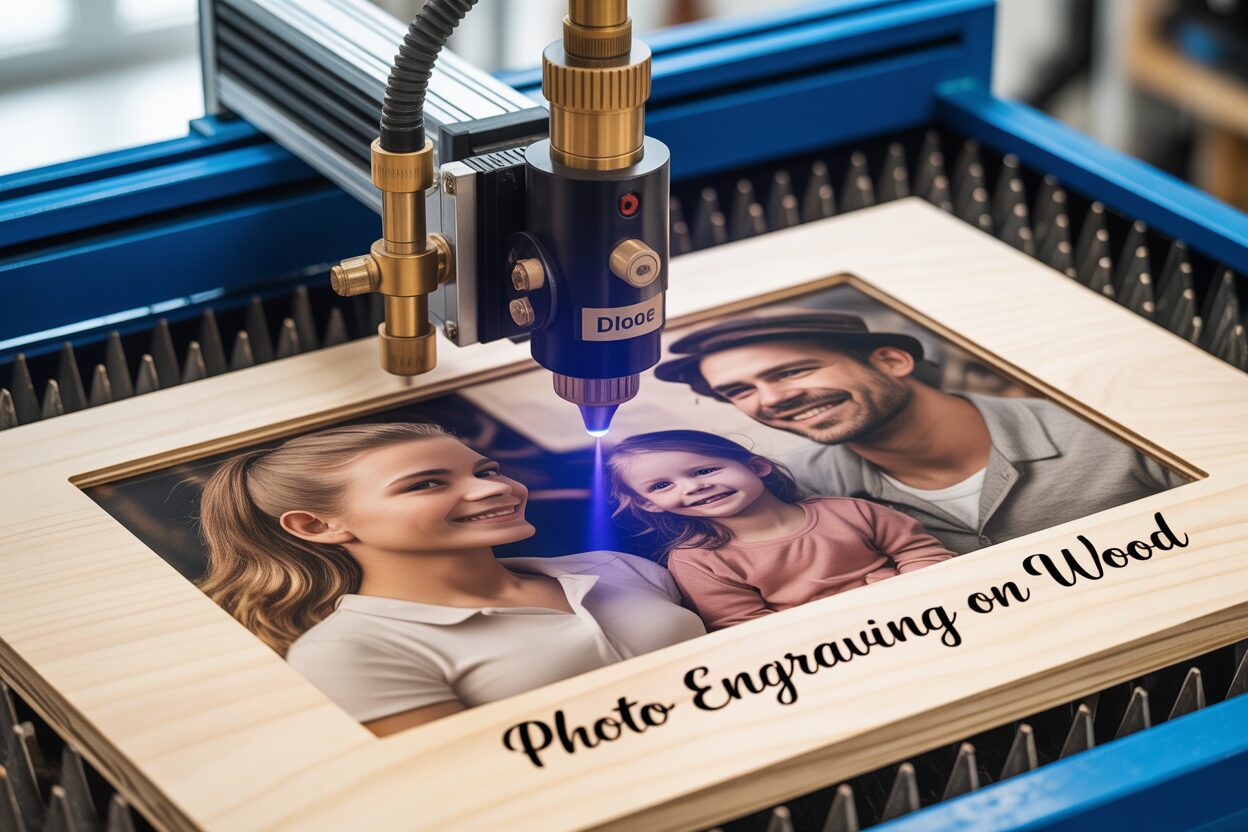
A Beginner’s Tutorial to Photo Engraving on Wood
23
Nov
Nov
Estimated reading time: 8 minutes
Key Takeaways
- The foundation of a great engraving is a high-resolution, high-contrast photo that has been digitally prepared by converting it to grayscale, adjusting brightness/contrast, and sharpening.
- Choosing light-colored, fine-grained wood like Baltic Birch, Basswood, or Maple provides the best canvas for detailed, high-contrast results.
- Dithering algorithms, especially Jarvis or Stucki, are essential for converting grayscale images into laser-ready dot patterns that simulate tones.
- Always perform a test grid on a scrap piece of your chosen wood to find the optimal balance of laser power, speed, and DPI for your specific machine.
- Post-engraving cleanup, ideally using the masking method, and applying a protective finish like a clear coat or oil are crucial for a professional and durable final product.
Table of Contents
Discover the art of photo engraving on wood. This tutorial guides you through the entire process, from preparing your digital image to choosing the best materials and configuring your laser engraver. Turn your cherished memories into timeless wooden art pieces with these expert tips and techniques for flawless results.
Selecting and Preparing Your Photo for Engraving
The quality of your final engraving is determined long before the laser ever fires. The old adage “garbage in, garbage out” is especially true for photo engraving. Success begins with choosing the right photograph and preparing it meticulously. A photo that looks great on your screen might not translate well to wood without some careful adjustments. The ideal source photo has a few key characteristics:
- High Resolution: Start with the highest resolution image you can get. A resolution of 300 DPI (dots per inch) is a great baseline. A low-resolution photo will look pixelated and lack the fine detail needed for a crisp engraving.
- Good Contrast and Lighting: Look for photos with a clear distinction between the subject and the background. Images with balanced lighting, avoiding deep, dark shadows or blown-out, pure white highlights, are best. The laser needs tonal information to work with; if a shadow is pure black in the photo, the laser will just see a void and engrave it as a solid, deep burn with no detail.
- Simple Background: A busy or cluttered background can distract from the main subject. A photo with a simple, out-of-focus, or uniform background will always produce a cleaner and more impactful engraving.
The Digital Darkroom: Step-by-Step Photo Preparation
Once you’ve selected your photo, it’s time to prepare it for the laser. This process involves optimizing the image so the laser can accurately interpret its tones and details. You can use software like Adobe Photoshop, the free alternative GIMP, or the built-in tools in laser software like LightBurn. The steps are generally the same regardless of the software you use.
- Convert to Grayscale: Since the laser doesn’t see color, your first step is to convert the image to grayscale (black and white). This allows you to see the image exactly as the laser will interpret it—as a map of light and dark tones.
- Adjust Brightness & Contrast: Wood engraving naturally darkens an image. To compensate, you’ll often need to slightly increase the overall brightness. More importantly, you must enhance the contrast. Use the Levels or Curves tool to make the darks a little darker and the lights a little lighter, which makes the subject pop. Be careful not to “clip” your highlights to pure white or “crush” your shadows to pure black, as this erases all detail in those areas.
- Sharpen the Image: A final, subtle sharpening pass can work wonders. Use a tool like the “Unsharp Mask” to enhance the edges and fine details in the photo. This creates a crisper definition that translates beautifully to the wood, making features like eyes, hair, and textures stand out. Don’t overdo it, as excessive sharpening can create an unnatural, halo-like effect around edges.
The Magic of Dithering: Translating Grays to Dots
This is the most critical step to prepare photo for laser engraving. A laser doesn’t engrave in different shades of gray; it is either on (burning) or off. Dithering is the process that converts your grayscale image into a black and white pattern of dots that simulates those shades. The density of the dots fools the eye into seeing different tones. The dithering algorithm you choose has a dramatic impact on the final look of laser engraving photos. Most laser software offers several options:
- Jarvis: This is a fantastic all-around option and a great starting point for beginners. It spreads the “error” from the pixel conversion over a wider area, resulting in a smooth and highly detailed image. It’s particularly well-suited for portraits and images with subtle tonal transitions.
- Stucki: Very similar to Jarvis, Stucki often produces a slightly cleaner and sharper result. It’s an excellent choice for images where you want to preserve fine detail without introducing too much noise. Many experienced engravers prefer Stucki for its balance of detail and clarity.
- Floyd-Steinberg: Another classic algorithm that produces high-quality results, often comparable to Stucki. It’s a reliable choice for a wide variety of images.
The best way to see the difference is to test them. In your laser software, apply each dithering method to your prepared photo and zoom in. You’ll see how the dot patterns change. The choice often comes down to personal preference and the specific subject matter, but starting with Jarvis or Stucki will almost always yield excellent results.
Choosing the Best Wood and Laser Settings
With your photo digitally perfected, the next step is to choose your physical canvas and tell the laser how to interact with it. The type of wood you select and the settings you use are just as crucial as the photo preparation itself. Not all woods are created equal, and finding the perfect balance of laser power and speed is a process of discovery.
Choosing Your Canvas: The Best Wood for Photo Engraving
The ideal wood for photo engraving is light-colored with a fine, uniform grain. This combination provides a high-contrast canvas where the dark laser burn stands out clearly, and the subtle wood grain doesn’t compete with the details of your photograph. Here are some of the top choices:
- Baltic Birch Plywood: A popular and affordable choice, Baltic birch is known for its uniform color and minimal voids. Its layered construction means the grain is consistent, making it a reliable and forgiving material for beginners.
- Basswood: Often considered one of the best wood for photo engraving, basswood is very light in color and has an almost non-existent grain. It’s a soft wood that engraves very easily, capturing fine details with exceptional clarity.
- Maple: This is a harder, denser wood with a tight grain and a creamy white color. Maple produces incredibly crisp, high-contrast engravings. It may require more laser power or slower speeds than basswood, but the sharp results are often worth it.
- Cherry: While slightly darker than the other options, cherry has a beautiful, rich reddish tone. The engraved areas turn a deep, dark brown, creating a stunning and elegant contrast. The key is to use a photo with strong highlights to stand out against the wood’s natural color.
Avoid woods with strong, uneven grain patterns like pine or oak. The laser burns differently on the light (earlywood) and dark (latewood) parts of the grain, resulting in an inconsistent, striped appearance that will disrupt your image. Similarly, woods high in sap or resin can cause blotchy, uneven burns.
Finding the Sweet Spot: Your Wood Photo Engraving Settings
There is no single “perfect” setting; the optimal parameters depend on your specific laser machine, the wood you’ve chosen, and the photo itself. The key is to perform a test. The most effective method is to create a test grid on a scrap piece of the exact same wood you’ll be using for your final project. This grid should contain a matrix of squares, each engraved with a different combination of speed and power. By examining the grid, you can pinpoint the settings that produce the richest range of tones, from a light tan to a deep brown, without scorching the wood to a charcoal-like crisp. The key parameters to adjust are:
- Power: Controls the intensity of the laser. Higher power results in a darker burn. You need a setting that can produce a near-black burn at its maximum without excessively damaging the wood.
- Speed: Dictates how fast the laser head moves. Slower speeds apply more energy to a single spot, also resulting in a darker burn. The interplay between speed and power is the core of dialing in your settings.
- DPI (Dots Per Inch): This is the resolution of your engraving. For photos, a higher DPI (around 250-300) is generally preferred to capture fine detail. However, setting it too high can cause the dots to overlap, effectively “overcooking” the wood and losing detail.
- Focus: A perfectly focused laser beam is critical. An out-of-focus beam is larger and less intense, resulting in a blurry, low-detail engraving. Always ensure your laser is precisely focused on the surface of the wood.
Special Considerations for Diode Laser Photo Engraving
While the principles are the same, diode laser photo engraving requires some specific considerations. Diode lasers are generally lower in power than CO2 lasers and have a different light wavelength. To achieve deep, rich tones, you will almost always need to run at much slower speeds. A CO2 laser might engrave a photo at 300 mm/s, while a diode laser might need to run at 50 mm/s or even slower to get a comparable dark mark. This makes the test grid even more critical for diode users. Patience is key; don’t be afraid to test very slow speeds to find that perfect balance where the wood is nicely browned without turning into a smudged, blurry mess from excessive heat spread.
The Engraving Process and Finishing Techniques
With your digital file perfected and your test grid completed, it’s time for the exciting part: bringing your image to life on wood. This final stage involves careful machine setup, vigilant monitoring, and the finishing touches that transform a good engraving into a great one.
First, secure your wood piece to the laser bed. It must be perfectly flat and unable to shift during the engraving process. Warped wood will move in and out of the laser’s focal point, resulting in blurry, inconsistent sections. Use honeycomb pins, hold-down clamps, or even heavy weights on the edges to ensure it stays put. Next, set the origin point. Use your laser’s red dot pointer to move the laser head to the corner or center point where you want the engraving to begin, and set this as the “home” or “origin” position in your software. Before you press start, double-check your safety precautions. Wood engraving creates a significant amount of smoke. Ensure your exhaust fan is running and is properly vented to the outside. Never leave the laser unattended while it’s running, and keep a small fire extinguisher within reach as a precaution.
The Engraving and Initial Cleanup
Once you start the job, watch the first few passes to ensure everything is behaving as expected. The laser should be firing, moving smoothly, and the burn should look consistent with what you saw on your test grid. Now, you can let the machine work its magic. When the engraving is complete, you will notice a fine layer of soot and resin residue on the surface. Cleaning this off is essential for a crisp, professional look. There are two primary approaches:
- The Masking Method (Proactive): This is the cleanest method. Before engraving, cover the entire surface of your wood with a single, smooth layer of medium-tack transfer tape or paper masking tape. The laser will engrave directly through the tape. When the job is done, you simply peel the tape off, and it lifts almost all the soot and smoke stains with it, leaving a perfectly clean surface behind.
- Post-Engraving Cleaning (Reactive): If you didn’t use masking, you’ll need to clean the surface manually. Do not use water, as it can raise the wood grain and cause the soot to bleed. Instead, use a soft-bristled brush (like a toothbrush) or a gentle puff of compressed air to remove the loose particles. For stubborn residue, you can lightly wipe the surface with a rag dampened with denatured alcohol, but be careful not to scrub too hard, as you could smear the soot into the surrounding wood grain.
Applying the Final Finish
The final step in creating a beautiful photo engraving on wood is to seal and protect it. A finish not only protects the wood from moisture and dirt but also dramatically enhances the contrast of the engraving, making the darks richer and the details pop. A spray-on clear coat is an excellent choice for beginners, as it provides an even coating without the risk of brush strokes interfering with the fine details of the engraving. A few light coats of a clear semi-gloss or satin lacquer or polyurethane will do the job perfectly. For a more natural look, you can opt for an oil finish, like Tung oil or Danish oil. Simply wipe it on with a clean cloth, let it soak in for the recommended time, and then wipe off the excess. This type of finish penetrates the wood, giving it a warm, deep luster that beautifully complements the engraved image. Whichever finish you choose, it’s the final touch that ensures your wooden keepsake will last a lifetime.
Conclusions
You now have the knowledge to create beautiful photo engravings on wood. By carefully preparing your images, selecting the right wood, and fine-tuning your settings, you can achieve professional-quality results. Experiment with different photos and woods to further refine your skills and create unique, personalized items that will be treasured for years to come.
Frequently Asked Questions
Q: What is the most important step to prepare a photo for laser engraving?
A: The most critical step is dithering. This process converts your grayscale image into a black and white dot pattern that simulates different shades, allowing the on/off laser to create the illusion of tones. Using a good algorithm like Jarvis or Stucki is key to a detailed result.
Q: What type of wood is best for engraving photos?
A: The best woods are light-colored with a fine, uniform grain. This provides high contrast and prevents the wood’s pattern from interfering with the image. Top choices include Basswood, Maple, Baltic Birch Plywood, and Cherry.
Q: Do I need to use the same laser settings for every project?
A: No. There is no single “perfect” setting. Optimal settings depend on your specific laser, the type of wood, and the photo itself. It is essential to create a test grid on a scrap piece of the same wood to find the ideal combination of power, speed, and DPI for each project.
Q: How do I clean the soot off my wood engraving?
A: The best method is proactive: apply a layer of masking tape to the wood before engraving. After the job is done, peeling off the tape removes most of the soot. If you don’t use masking, you can use a soft-bristled brush or a rag lightly dampened with denatured alcohol to clean the surface.
Block "subscribe-popup" not found
